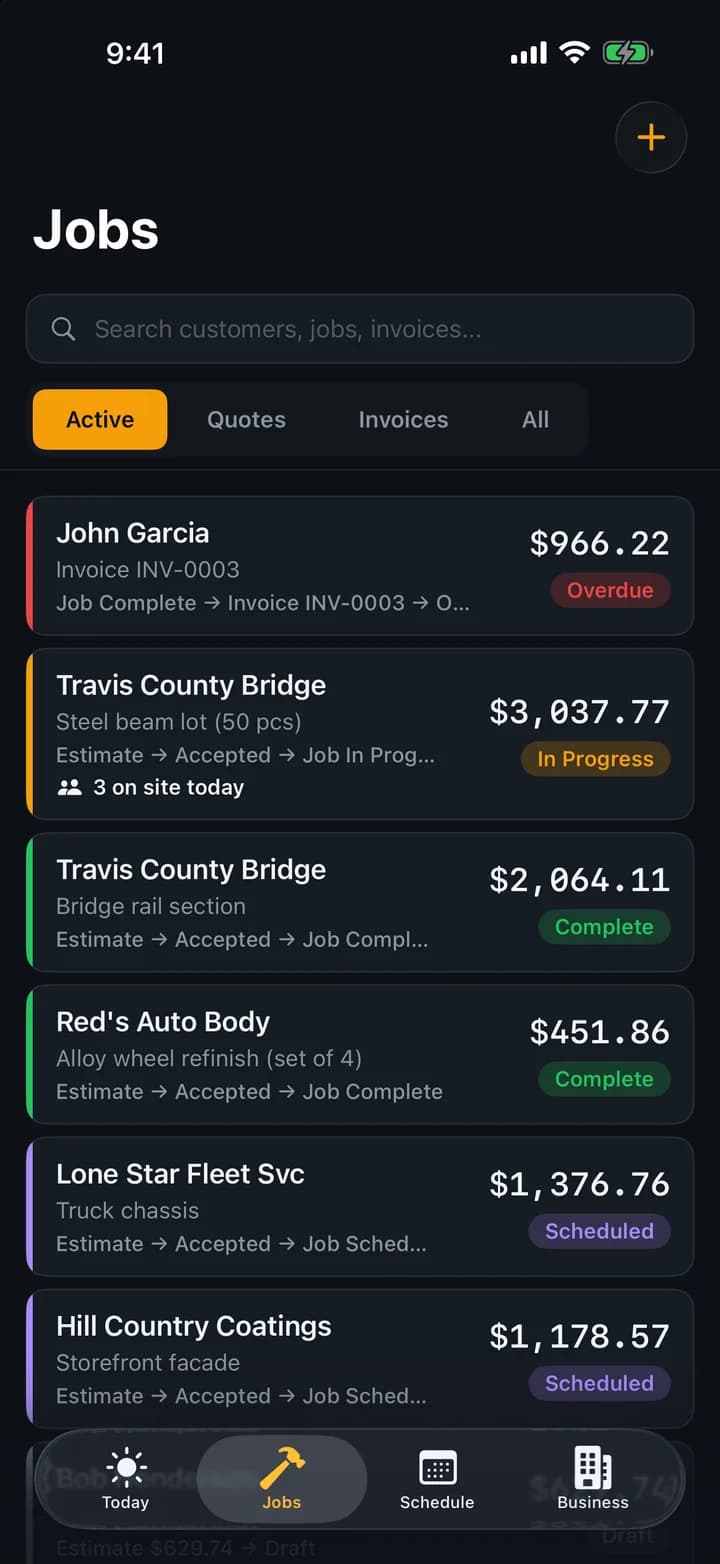
Know where every job stands without digging through texts.
Every job moves through a five-stage pipeline: scheduled, in progress, complete, invoiced, paid. See all of it at a glance. Start the clock when you begin. At the end, enter actual hours and media used, and BlastBid compares them to your estimate so you find out where you're bidding too high or too low.
No credit card required
What you get
Track every blast job from scheduled to paid. Built-in timer, estimated vs actual comparison, and the crew on each day. Know where every job stands.
- Five-stage pipeline: scheduled, in progress, complete, invoiced, paid
- Built-in job timer for actual hours
- Actual hours and media logged against the bid on every job you quoted
- The crew on every job, day by day, from the crew schedule
- Notes, attachments, and history on every job
Frequently asked questions
Can I see all my jobs on a calendar?
Yes. The Jobs tab has a calendar view that shows scheduled and in-progress jobs by date.
What happens when I finish a job?
Mark it complete, enter actual hours and media used, and BlastBid compares them to your estimate. Then convert to an invoice in one tap.
Can I put specific people on a job?
Yes. The crew schedule puts people on a job by the day, several people and several days at once. They see it on their own phone, and a day laborer with no account can go on by name.