The shop whiteboard, on every phone.
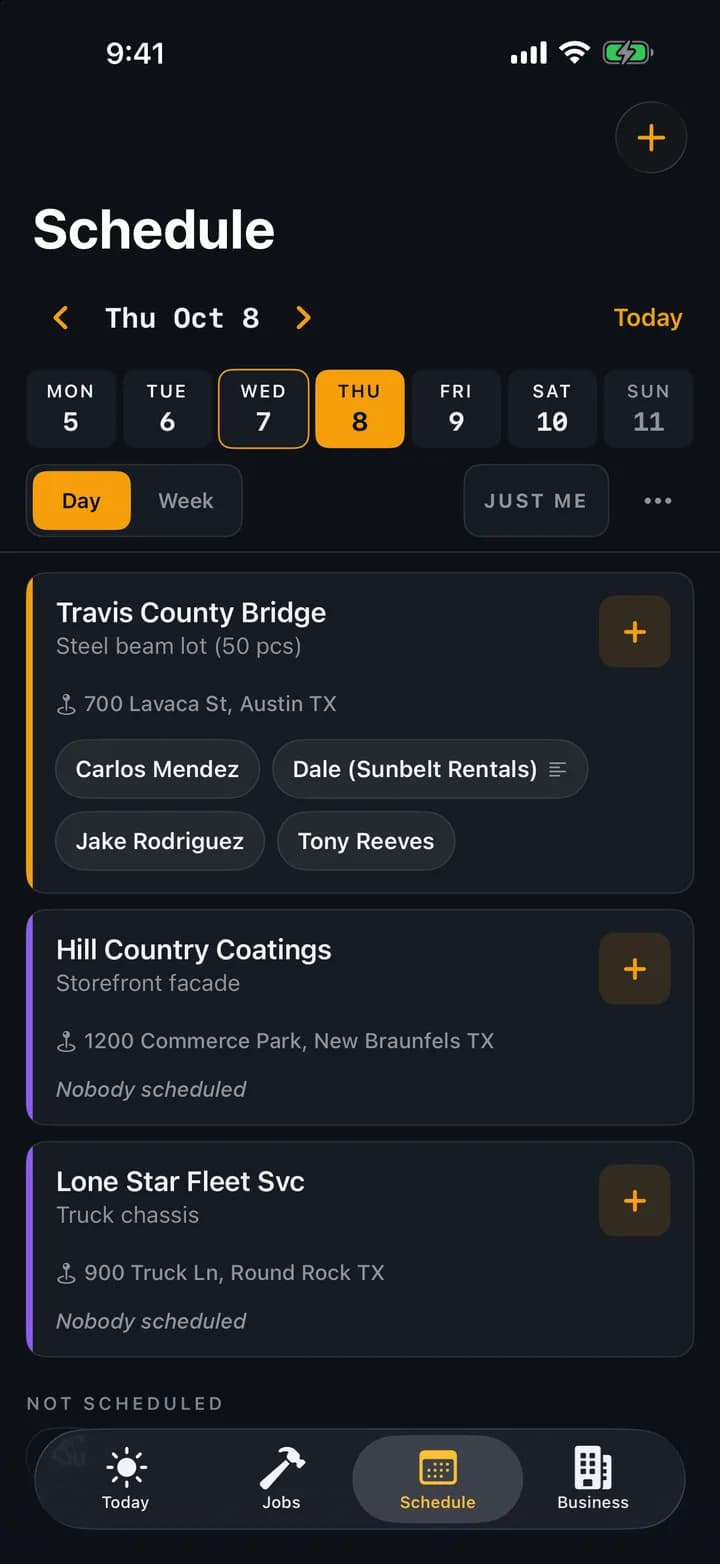
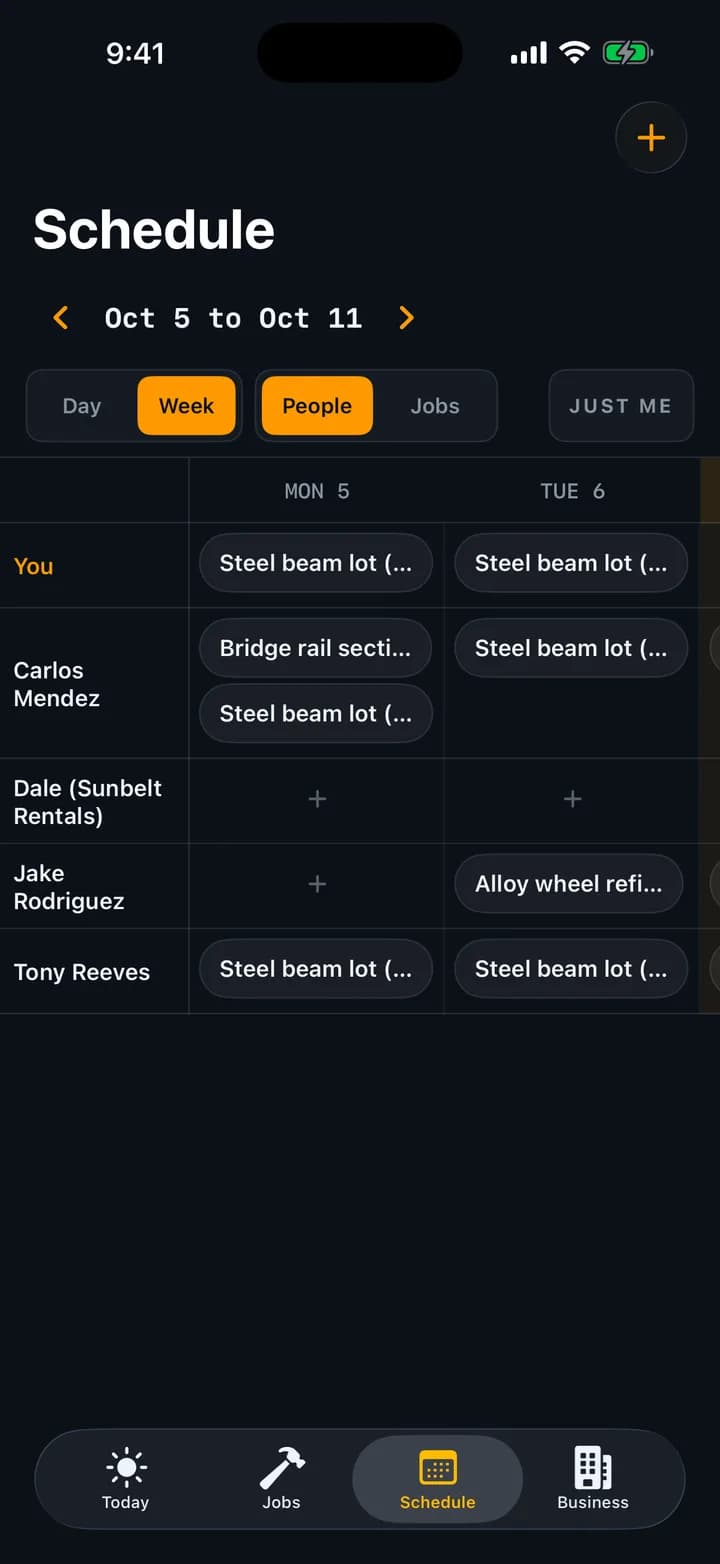
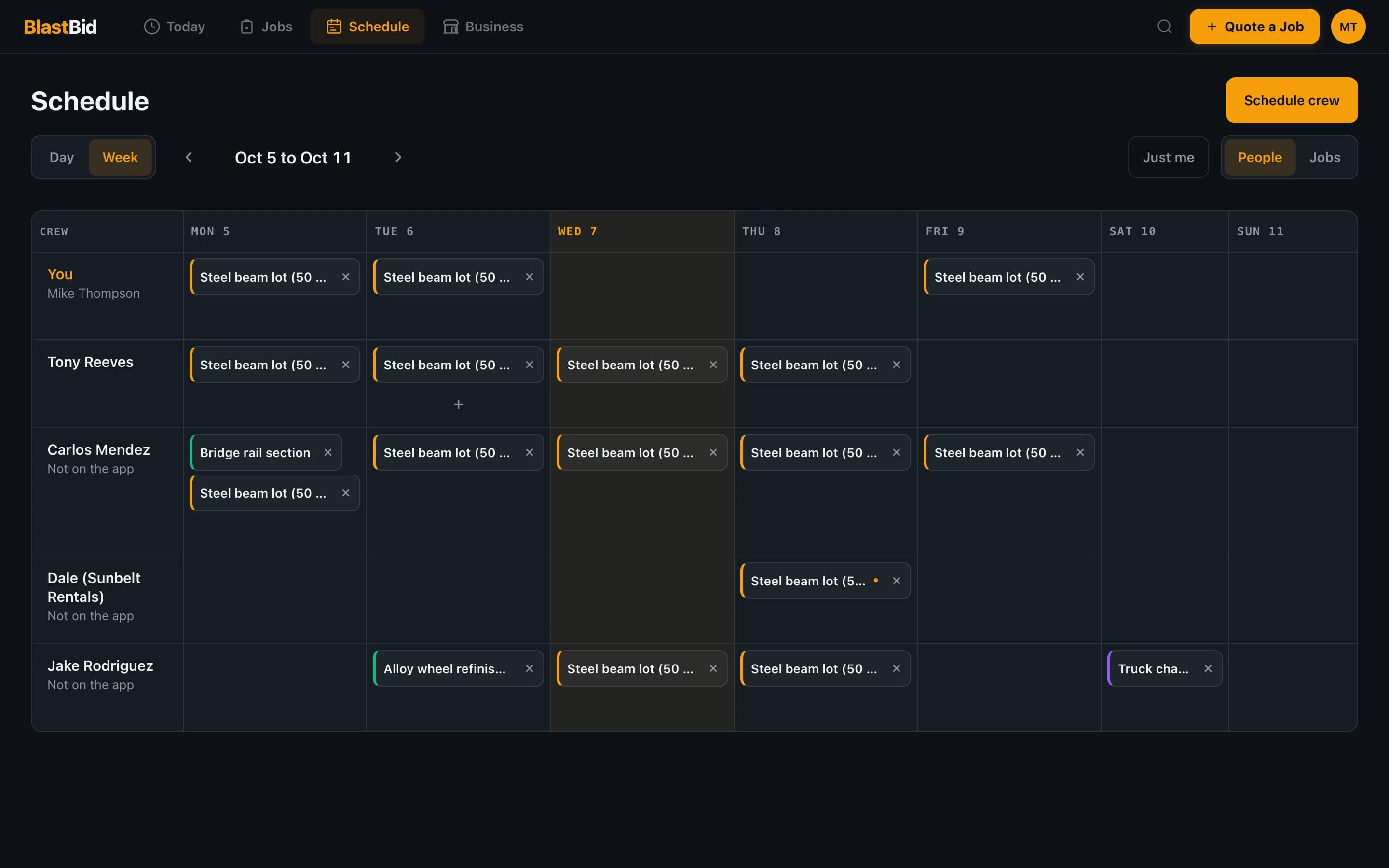
Who is on the pot at the bridge job, who is running the rented lift, and who is off Friday. The Schedule tab answers it the way the whiteboard always did, one name per job per day. The difference is that it is on every phone in every truck, anyone on the crew can move a name, and it works with no signal.
No credit card required
What you get
- Day board: every active job with who is on it, plus the jobs nobody is on yet
- Week roster: your people down the side, Monday to Sunday across, or flip it to show jobs
- People with no account go on by name: the day laborer, the operator who came with the rented lift
- Several people and several days in one go. Mon to Fri fills the work week
- A note on the day, like “bring the big pot and extra garnet”
- Job cards say YOU TODAY or 3 on site today, and the morning email leads with the job you're on
- Anyone on the crew can move someone, and it all works offline
What it is not
- A time clock. It records days, not hours, so nobody punches in or out
- Payroll. It does not add up wages or hours per person
- GPS tracking. It never asks where anyone is
- Start times or route planning. It answers who is on which job which day, not what time or in what order
Frequently asked questions
Does everyone on the schedule need an account?
No. Your crew members with an account see the schedule on their own phone. Anyone else, like a day laborer or the operator who comes with a rented lift, you type in by name, and their name comes back as a one-tap chip next time. They never get a login, and nobody is a paid seat.
Who can change the schedule?
Anyone on the crew, the same as a magnet on the whiteboard. Whoever hears the plan changed can move it. Taking someone off a day has an Undo, so a slip of the thumb costs nothing.
Does it track hours or clock people in?
No. The schedule is days, not hours. It says who is on which job, not when they showed up or how long they stayed. When a job is done you still log the actual hours on the job itself, and that is what feeds estimate accuracy.
Can one person be on two jobs the same day?
Yes. Put them on both. A split day shows on both jobs, so the morning at the shop and the afternoon at the trailer job are both on the board.
Does it work without signal?
Yes. The schedule lives on the phone like the rest of the app. Change it at the job site with no bars and it syncs to the rest of the crew once you're back in range.
How does my crew find out where they are tomorrow?
The Schedule tab has a Just me switch that shows only their own days. Job cards on the Jobs tab say YOU TODAY, and the morning email, for anyone who has it turned on, starts with the jobs they're on today and tomorrow.